How a Coach Can Grow Online Income with Video Reviews
By Oleksandr Ohurtsov · Published: November 9, 2026
Most coaches sell time. A lesson is an hour on the court or the range, and what it earns is capped by everything that caps the hour: daylight, court or bay availability, travel, weather, and how many students live close enough to come.
An online video review removes most of those limits. The athlete films practice wherever they train, and the coach reviews it whenever there is time. What it does not remove is the hard part of coaching: the athlete still has to understand the correction. A review that cannot do that is a voice note nobody pays for twice.
This article follows one coach through that change. Elena is a composite example, not a WithCoach customer, and every number below is illustrative arithmetic to replace with your own prices and timings.

The ceiling: a full calendar and nothing left to sell
Elena teaches golf at a driving range. Her weekday evenings and weekend mornings are booked, which sounds like success until she tries to grow: every new student needs an hour she does not have. Two former students moved away and stopped lessons. Others practice alone between lessons and arrive with a swing that has drifted back to old habits.
She had tried reviewing swings sent by text message: a paused screenshot, a few typed lines, "your hips are opening early." Students thanked her and repeated the same swing. Text and a still frame could not show what she meant, so she never felt she could charge properly for them.
Four tools that make an online review teach
What changed was the review itself. Every review now follows the same order: show the difference against a reference, find the frame where it happens, draw it, and explain it out loud.
1. Compare every swing with a reference
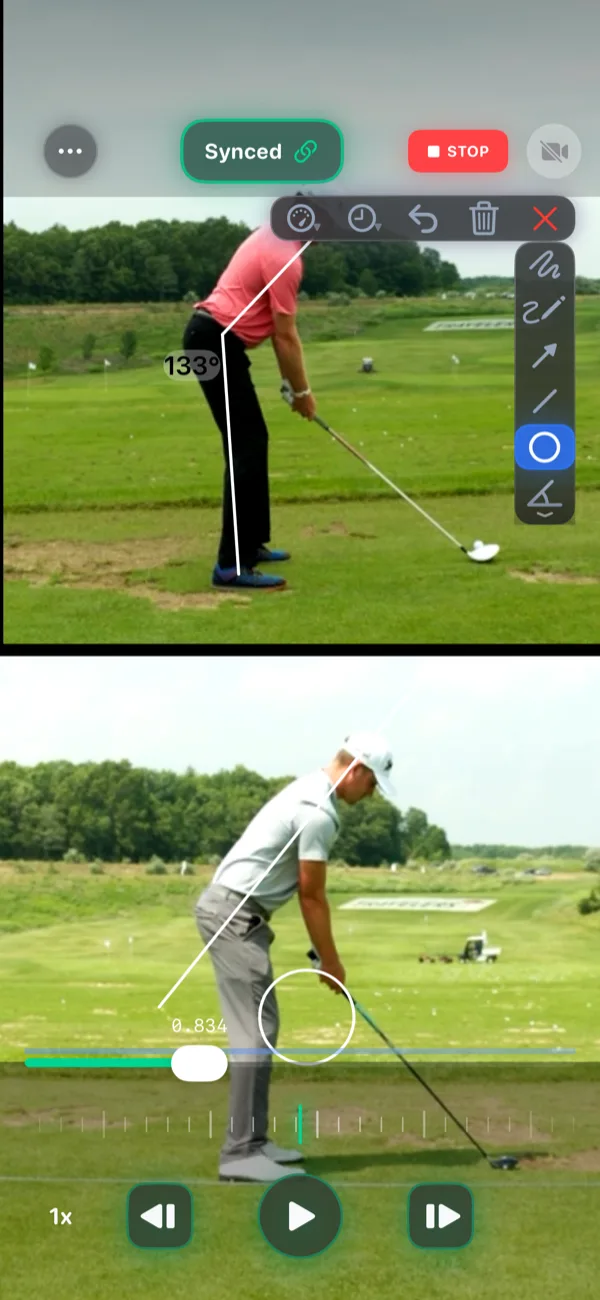
Elena opens the student's swing beside a reference: her own demonstration of the move she is teaching, or the student's best swing from the last lesson. She moves both clips to the same moment, such as the top of the backswing or impact, and syncs them there. From then on, playback and scrubbing keep the two swings at the same phase. The golf swing analysis guide lists the four moments in a swing worth comparing.
Pairing a model with the athlete's own attempt has support in research. In a small study, four young competitive gymnasts watched video right after an attempt: an expert performing the skill, a replay of their own attempt, then the two side by side, freeze-framed at key points. The share of correctly performed skill components rose above each gymnast's own baseline [1]. Its authors listed one limitation anyone who has tried this by hand will recognize: the expert's clip and the gymnast's could not be kept in perfect synchronization.
2. Step frame by frame to the moment that matters
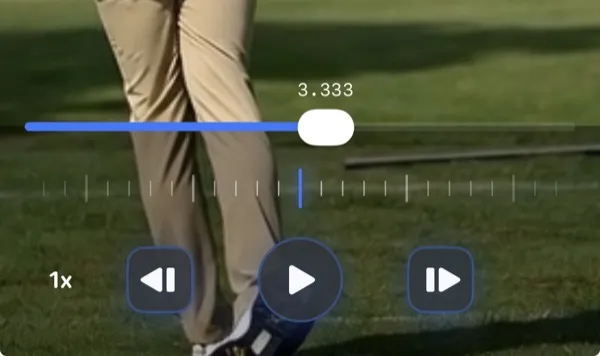
The positions that decide a swing last a few hundredths of a second. Elena slows the comparison to 1/2x, 1/4x or 1/8x to see the sequence, then steps frame by frame around impact. In sync mode both clips step together, and WithCoach keeps them on one timeline even when the student's phone and her reference recorded at different frame rates.
3. Draw one correction
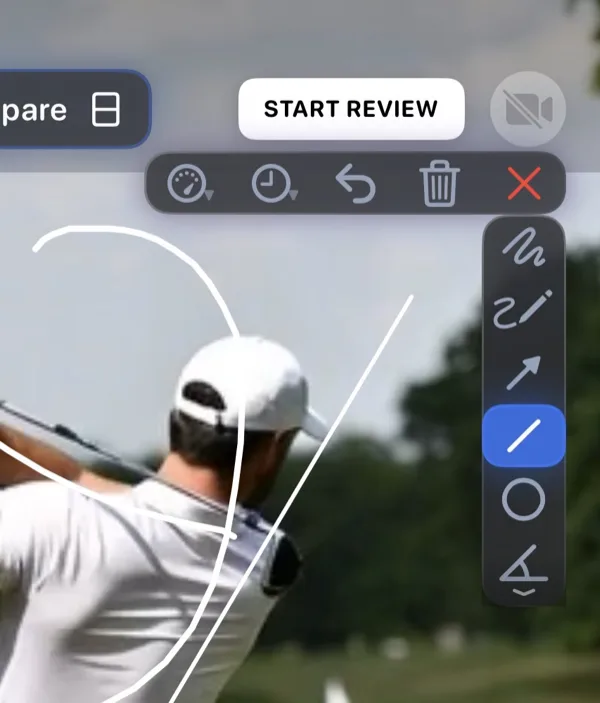
WithCoach has eight drawing tools: freehand, freehand arrow, straight arrow, straight line, circle, angle, rectangle and a level guide. Elena uses two or three of them: a line along the spine at address, a circle on the lead knee at impact, an angle where the student's position differs from the reference.
She limits each review to one correction, and she draws the result she wants rather than describing the body. Attentional-focus research favors cues about the effect of a movement, such as the path of the club, over cues about the body itself [2]. A drawn path or target on the frame is exactly that kind of cue.
4. Explain it in a voice-over review
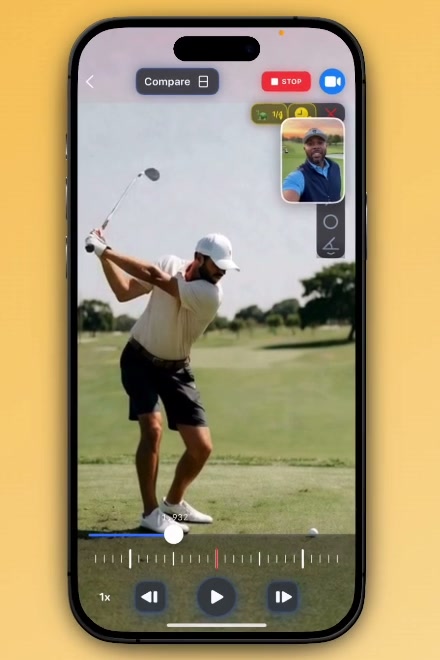
Last, Elena records the review. WithCoach captures her voice, and her camera if she turns it on, while she plays, pauses, steps and draws on the comparison, so the student hears each explanation at the frame it refers to. Both videos stay muted while she records, so the review carries only her voice.
The combination matters. A 2022 meta-analysis of feedback in physical education found that visual feedback combined with verbal feedback had the largest effect on motor skill learning, while verbal feedback alone showed no significant effect [3]. A voice-over on a drawn comparison is both at once.
How the online service runs each week
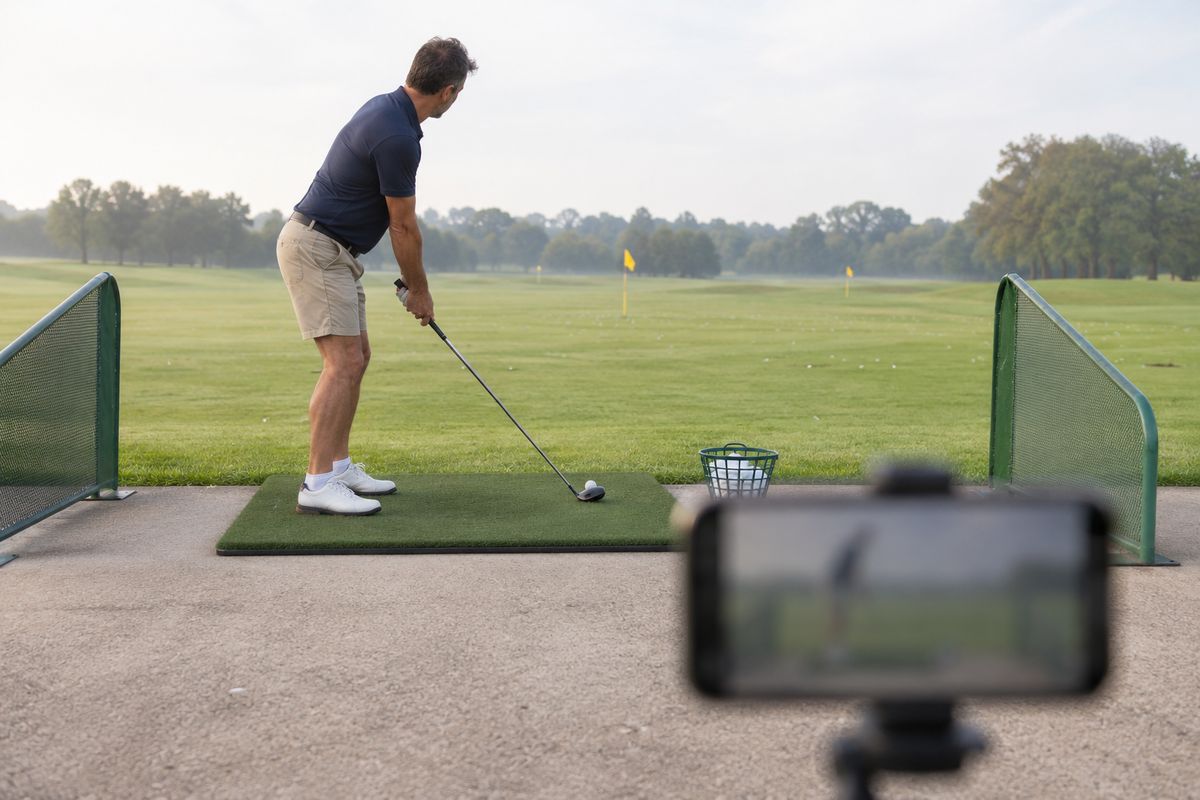
- The student films. The same drill from the same place, with the phone on a small tripod at hip height.
- The student sends the clip. Through the chat app they already use with Elena. She saves it and imports it into WithCoach from Photos or Files.
- Elena reviews it. A reference comparison, the key frame, one drawing and a short voice-over.
- She sends the review back. She exports the recorded review as a video and replies in the same chat, so it is waiting before the next practice.
- The next clip closes the loop. The student films the same drill again, and the next review compares it with the last one.
She bills the package the same way she bills her lessons. The service needs no booking calendar, because nobody has to be in the same place at the same time.
The numbers: a worked example
These figures show the arithmetic. They are not a forecast of what any coach will earn.
| Example input | Value |
|---|---|
| Package | 4 video reviews a month |
| Price | $100 a month |
| Remote students | 12 |
| Time per review | About 15 minutes |
| WithCoach Coach plan | $18.99 a month |
Twelve students at $100 bring in $1,200 a month, or about $1,180 after the app. Forty-eight reviews at 15 minutes each take 12 hours a month, under three hours a week, done at home and on Elena's schedule. In this example every hour of review time earns about $100, and none of those hours competes with a lesson slot.
Your inputs will differ, and so may your plan: the example budgets for Coach, the most expensive plan, while Pro at $7.99 a month also exports reviews without a watermark. What carries over is the structure: a fixed monthly price, a fixed number of reviews, and a review short enough to make quickly.
Decide these before you sell your first review
- Sell a package, not single reviews. A monthly plan makes the film, review, film loop the default and the income predictable.
- Promise a turnaround. "Within two days" is a promise you can keep around lessons, and students plan their practice around it.
- Standardize filming. One angle, one height and one distance per drill make this week's clip comparable with last week's.
- Build a reference library. Record your own demonstration of each drill once and reuse it, and keep each student's best attempts as their personal references.
- Start with your current students. People who already take lessons are the easiest first customers for reviews between sessions.
Research cited
- Boyer, E., Miltenberger, R. G., Batsche, C., & Fogel, V. (2009). Video modeling by experts with video feedback to enhance gymnastics skills. Journal of Applied Behavior Analysis, 42(4), 855–860. doi:10.1901/jaba.2009.42-855 PMID 20514194 PMC PMC2790943 Four competitive gymnasts aged 7 to 10 practised three skills. Right after an attempt, each watched video of an expert performing the skill and a replay of her own attempt, then the two side by side, freeze-framed at five points. The percentage of correctly performed skill components rose above each gymnast's baseline, and the authors report improved performance for all four gymnasts across the three skills.
- Wulf, G. (2013). Attentional focus and motor learning: a review of 15 years. International Review of Sport and Exercise Psychology, 6(1), 77–104. doi:10.1080/1750984X.2012.723728 An external focus of attention — on the movement effect rather than on the body — improves both performance and learning, and the review reports the advantage holding across different types of tasks, skill levels, and age groups.
- Han, Y., Syed Ali, S. K. B., & Ji, L. (2022). Feedback for promoting motor skill learning in physical education: a trial sequential meta-analysis. International Journal of Environmental Research and Public Health, 19(22), 15361. doi:10.3390/ijerph192215361 PMID 36430079 PMC PMC9690366 Pooled across studies, feedback improved motor skill learning (SMD 0.47; 95% CI 0.01–0.93; p = 0.04). Visual feedback reached SMD 0.71 and visual combined with verbal feedback SMD 1.15, while verbal feedback on its own showed no significant effect.
Frequently asked questions
Do my athletes need WithCoach?
Not for this workflow. Athletes film on their own phone, send you the clip, and watch your review as an ordinary video. If you connect with them inside WithCoach, they use the app through your coaching plan, on an iPhone with iOS 17 or later.
How does the athlete receive a recorded review?
As a video. Export the recorded review to Photos or Files, or share it straight from the app, and send it the same way the clip reached you. Exports on the Free plan carry a WithCoach watermark.
How long should an online review be?
Long enough to show one correction clearly. A reference comparison, the key frame, one drawing and a short explanation usually teach more than a long walkthrough, and a short review is quicker for you to make.
Which WithCoach plan does online coaching need?
Comparison, frame stepping, drawing and recording a review work on every plan, including Free, where exports carry a watermark. Pro ($7.99/month or $59.99/year) removes the watermark. Coach Starter ($12.99/month or $99.99/year, 50 GB) and Coach ($18.99/month or $149.99/year, a 500 GB storage pool) add athlete connections, shared folders and the Feed.
Turn your next lesson into an online review
Comparison, frame stepping, drawing and recorded reviews work on every plan, including Free, where exports carry a watermark. Pro removes the watermark, and Coach Starter and Coach add athlete connections, shared folders and the Feed. The App Store shows local pricing before purchase.
Download on the App StoreRelated: How to draw on video to analyze technique · How to use video analysis to improve athletic technique · Why frame-accurate sync matters