Side-by-side video analysis for iPhone coaching
Feedback that stays in your athlete's pocket
Record feedback with your voice and camera, draw the correction on the frame, and compare technique side by side. Send the finished review to your athlete so it is ready before the next practice.
In a 2022 meta-analysis of feedback in physical education, spoken corrections alone showed no significant effect — visual plus verbal was the strongest. The research
3 lifetime comparisons on Free · No credit card · Built for iPhone

Give feedback that stays with them
Invite a student with a QR code, link, or email. They join on the free app and work from your shared cloud storage — up to 500 GB on the Coach plan. Videos appear in your Feed only when a connected student chooses to share them with you. Send an annotated review back so it is waiting in their library the next time they open the app.
See the coaching workflow
Show the difference side by side
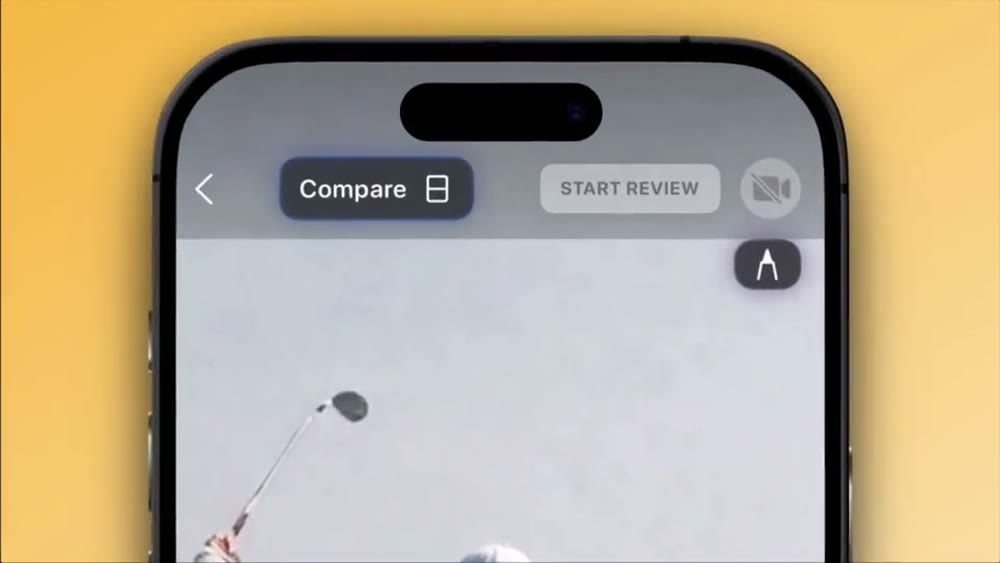
Stack an attempt against a reference, set one shared sync point, and both timelines move together — frame steps stay aligned even when one clip is 30 fps and the other is 60. Slow the pair to 1/8x and the difference stops being a feeling and becomes a frame you can point at.
Explore frame-accurate syncRecord Compare Draw Share
3 lifetime comparisons on Free
Built for iPhone · iOS 17+
Everything in one review
Tools built for coaching video
Two videos, one shared timeline
- Attempt and reference on one screen, played in sync
- One sync point keeps both timelines aligned around the same moment
- Mixed frame rates step together — 30 fps against 60 fps stays true
- Pinch to zoom and pan each video independently
Scrub one true frame at a time
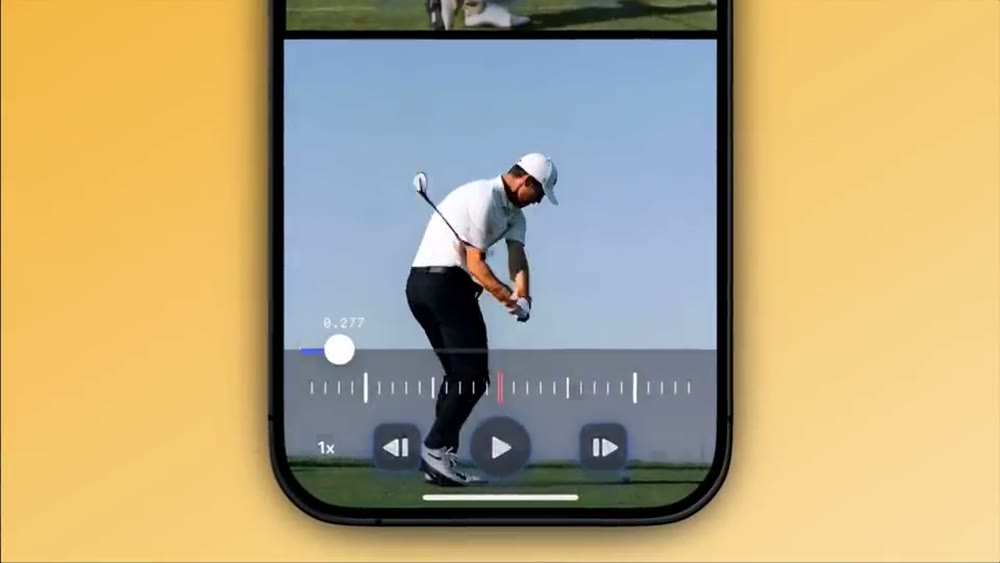
- Step forward or backward a single frame from the controls
- The frame step is derived from both clips' frame rates, so neither drifts
- Precise seeks land exactly on the frame you chose
- A fine scrubber wheel for the half-second that matters
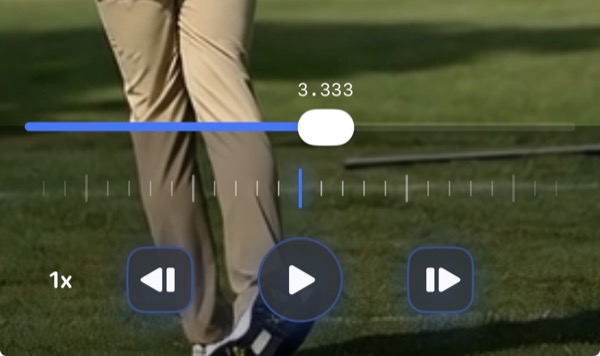
Slow it down until it is coachable
- Playback at 1x, 1/2x, 1/4x, and 1/8x
- 1/8x turns a blurred half-second into a sequence you can talk through
- Slow motion works in synced side-by-side playback too
- Combine with frame steps to freeze the exact position
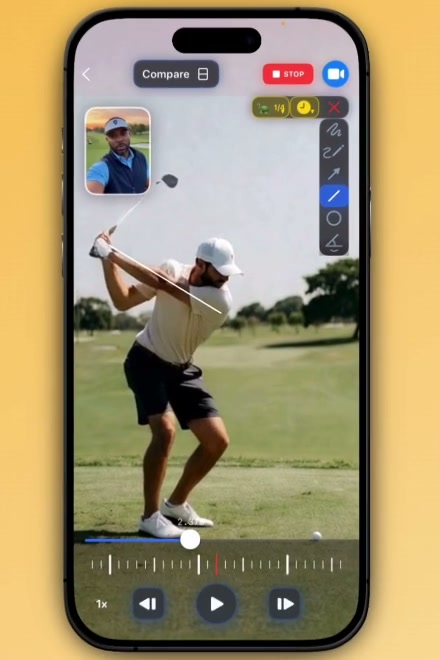
Draw the correction on the frame
- Eight tools: pen, arrow pen, arrow, line, circle, angle, rectangle, and level
- Draw during 1/8x playback so the line follows the moving joint
- Auto-fading marks clear themselves — no cleanup between attempts
- Annotations stay on the frame they describe
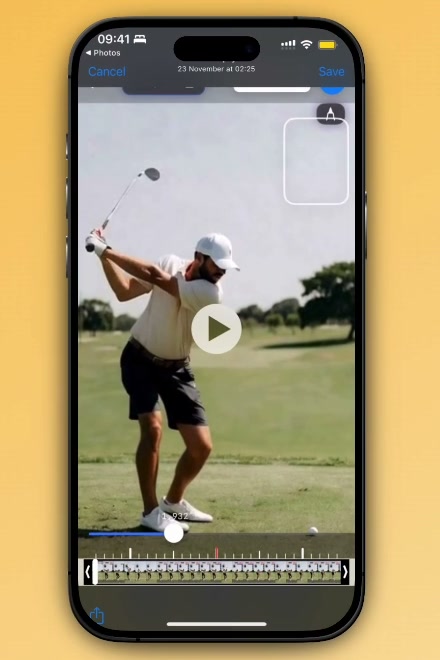
Keep only the attempt that matters
- Trim long recordings down to the movement
- Extract multiple clips from one continuous video
- Share footage straight into WithCoach from other apps
- Paste a web link to bring in a reference video (Beta)
Send the review, not a screen recording
- Exports match the review — drawings and timing intact; single-video exports keep the source audio
- Save to Photos or Files, or share a review link on Pro and up
- Free exports carry a WithCoach watermark; paid plans remove it
- Reviews sync to your student's library after you send them
A workspace for every student
- Invite students with a QR code, link, or email
- Each student's attempts, references, and reviews stay organized
- Students join on the free app and share your cloud storage — up to 500 GB on Coach
- Videos students choose to share appear in your activity Feed

Built around the movement
Video analysis for your sport
Start with a repeatable camera view, align the phase that matters, and give one correction the athlete can test on the next attempt. Each guide walks the workflow for its sport.
Browse all guidesRated five stars
“So helpful at my coaching classes and makes my personal tricking journey a way easier”
Learn the complete workflow in How to Use Video Analysis to Improve Athletic Technique, see how to draw on video to analyze technique, or compare tools in WithCoach vs OnForm, WithCoach vs CoachNow, and the 2026 video coaching app comparison.
Practical tools to see the technique, not just the video
2
videos on one frame-accurate timeline
1/8x
slow motion that keeps every frame readable
8
drawing tools, from level and angles to freehand
$0
for 3 lifetime comparisons on Free
Bring footage from anywhere
Record from the camera, import from your photo library, or share a video straight into WithCoach from another app. Paste a web link to stream a reference video from YouTube or YouTube Shorts on an eligible plan.
On paid plans, eligible videos you choose to store in the cloud sync across your signed-in devices. Student footage reaches a coach only after the student explicitly shares it through their connection.

Simple pricing.
Built around your workflow.
Free includes 3 lifetime comparisons. Paid plans unlock unlimited comparisons, cloud sync, watermark-free output, and coaching workflows.
Free
$0
Forever
- 3 lifetime comparisons
- Drawing tools & 1/8x slow motion
- Watermarked export to Photos & Files
Pro
$7.99/mo
Billed monthly
- Unlimited comparisons
- 25 GB cloud storage
- Cloud sync across your devices
- Watermark-free output
- Shareable review links
- YouTube import, folders & tags
Coach Starter
$12.99/mo
Billed monthly
- 50 GB cloud storage
- Everything in Pro
- Unlimited students, free for them
- Shared folders & reviews
- Activity feed
Coach
$18.99/mo
Billed monthly
- 500 GB cloud storage
- Everything in Coach Starter
- 1 TB and 2 TB storage boosters
- Activity feed & reviews
- Shared folders
Students never pay. An invited student joins on the free app and works from their coach's storage for as long as that plan is active. Coach plans can add a 1 TB booster for $12.99/mo ($99.99/yr) or 2 TB for $34.99/mo ($279.99/yr).
Subscriptions are billed through the App Store. The app shows localized pricing and any available introductory offer before purchase.
Questions and answers
WithCoach FAQ
The practical details before you start comparing footage.
What is WithCoach?
WithCoach is an iPhone video coaching app for comparing sports technique side by side with synchronized playback, frame stepping, drawing annotations, and speeds down to 1/8x.
What is included in the WithCoach Free plan?
Free includes 3 lifetime side-by-side comparisons, all eight drawing tools, every playback speed, and export or sharing with a WithCoach watermark. Pro and coaching plans unlock unlimited comparisons.
Do students invited by a coach need a paid plan?
No. An invited student can use the free app and work from the coach's storage pool while that coach's eligible plan and sponsorship remain active.
What do WithCoach paid plans add?
Pro adds unlimited comparisons, 25 GB of cloud storage, cloud sync, watermark-free output, shareable links, and YouTube import. Coach Starter and Coach add connected coaching workflows with 50 GB or 500 GB storage.
How does side-by-side video comparison work?
Choose a matching moment in both videos, such as impact or contact, and set the sync relationship. WithCoach keeps that timing offset while you play or scrub, and supports frame steps for mixed-frame-rate footage.
Which sports can WithCoach analyze?
WithCoach works with any visible movement that can be recorded on video, including golf, tennis, baseball, swimming, gymnastics, strength training, martial arts, dance, and rehabilitation exercises.
How much does WithCoach cost?
WithCoach has Free, Pro at $7.99/month or $59.99/year, Coach Starter at $12.99/month or $99.99/year, and Coach at $18.99/month or $149.99/year. The app shows localized pricing and any available offer before purchase.
Coach the movement,
not the memory.
Create your first 3 comparisons free. Upgrade for unlimited analysis, cloud sync, or a connected coaching workspace when you need it.
3 lifetime comparisons on Free · iPhone with iOS 17+ · No credit card required